
100% deposit match up to $500
Welcome Bonus
PickWin Casino App Canada
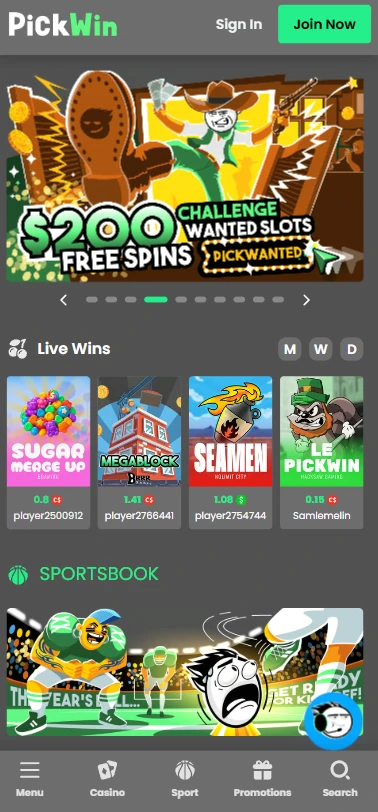
We built the PickWin Casino mobile app on a Progressive Web App model — no download from any store required, no APK file to manage. The entire platform, including 14,520 real-money games, a full sportsbook, and 19 payment methods, loads directly through your mobile browser. This page explains the technical model, the install steps, and every practical rule you need to know before playing on a phone or tablet.
Understanding the PWA Model
The PickWin app is not hosted in the Apple App Store or Google Play. It runs entirely through your browser as a Progressive Web App, which means the platform code lives on our servers — not on your device. There is no APK to sideload and no file to update manually, because every change we push goes live instantly on your end.
Here is a precise summary of how the architecture differs from a conventional casino application:
- Browser-installed PWA — pinned to your home screen via a standard browser prompt, functioning like a native icon
- No APK required — zero risk of downloading an unverified file from an unofficial source
- No App Store dependency — bypasses store review delays; we update features on our own schedule
- Instant access — open your browser, navigate to the site, and the full lobby is available within seconds
Reviewing the Pickwin casino features on the main platform page will give you a complete picture of what loads inside the PWA. The PickWin Casino mobile app is licensed under Anjouan Gaming Authority License No. ALSI-202501032-FI2, and that regulatory status applies equally whether you access from a desktop browser or a mobile shortcut.
Installing on Android and iOS
Getting the PickWin app onto your home screen takes under a minute on any modern smartphone. The process is identical in outcome on both Android and iOS, though the exact menu label differs slightly between Chrome and Safari. No account is needed before installing — you can pin the shortcut first and register afterward.
Follow these four steps:
- Open Chrome (Android) or Safari (iOS) — navigate to the PickWin Canada site in your default mobile browser
- Tap the menu or Share icon — three-dot menu in Chrome (top right), Share arrow in Safari (bottom bar)
- Choose “Add to Home Screen” — the option appears clearly in both browser menus
- Confirm — tap “Add” in the prompt; the icon appears on your home screen immediately
If you plan to PickWin app Canada download via this method, the process does not require any system permission beyond placing the shortcut. You can also download PickWin Casino app for android in the same manner through Chrome — no third-party file host involved. Before your first session, check the available Pickwin promotions deals to make sure your welcome bonus code is ready at deposit.
Mobile Slots and Live Tables
Every one of the 14,520 titles in our catalog runs smoothly on touchscreen devices — the layout adapts to portrait and landscape orientation without any manual setting adjustment. We do not maintain a separate mobile library; the full catalog is always available regardless of screen size. All games are real-money only, meaning there is no demo mode on mobile or desktop.
The mobile content range breaks down as follows:
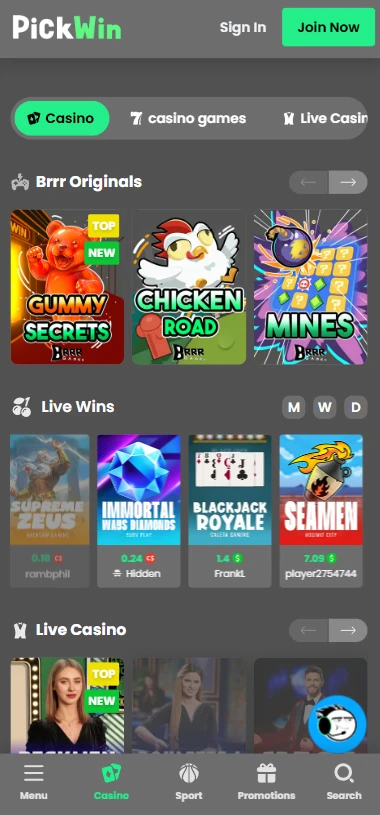
- 12,000+ slots — video slots, Megaways titles, jackpot games, and Brrr Games crash/multiplier originals including Chicken Road, Mines, and Tower
- 1,486 live dealer streams — tables from Evolution, Pragmatic Play Live, Vivo Gaming, and TvBet, covering baccarat, roulette, blackjack, and game-show formats such as Sweet Bonanza Candyland
- Brrr Originals — exclusive in-house titles (Crash, Megablock, Gummy Secrets) built for fast mobile sessions
- Sportsbook — 40+ sports including hockey, soccer, and basketball, with lines as tight as 3.1% margin on select soccer markets
Before jumping into a live session, complete your registration through safe PickWin account access to ensure your account currency is set to $ from the start. The average RTP across the full library sits at 96.68%, which holds true whether you play on a phone or a desktop machine.
Managing Money Through the App
Mobile users can manage deposits and withdrawals using their native crypto wallet apps directly from the same device they are playing on — the payment flow does not redirect you off-platform. We support 19 payment methods in Canada: one fiat option (Interac) and 18 cryptocurrency options. All deposits are instant and free; all withdrawals are processed within 6 hours at no cost.
| Method | Min. Deposit | Processing | Notes |
|---|---|---|---|
| Interac | $20 | Instant | Standard fiat option for Canadian players |
| BTC / ETH | $18 | Instant | Crypto wallet app authorization on mobile |
| USDT (TRC-20) | $18 | Instant | Lowest network fees; fast confirmation |
| Withdrawals (all) | $20 (Interac) | Within 6 hours | Free across all methods |
KYC verification is triggered at your first cash-out. You will need a government-issued ID, a proof-of-address document dated within three months, and — if using crypto — a screenshot of your receiving wallet address. Preparing these documents in advance keeps the payout process straightforward.
Why Install Instead of Just Browsing
The core benefit of pinning the shortcut is convenience, not storage savings — a PWA takes up virtually zero space on your device, because no game assets are stored locally. That said, this architecture comes with a structural dependency: a stable internet connection is always required, since nothing is cached offline. The table below lays out the practical trade-offs clearly.
| Feature | PWA Shortcut | Standard Browser Tab |
|---|---|---|
| Storage space used | Zero device storage | Zero device storage |
| Server-side updates | Instant, automatic | Instant, automatic |
| Home screen icon | Yes — one tap to open | No — must navigate manually |
| Requires strong internet | Yes, always | Yes, always |
| Session continuity | Maintained via browser session | Maintained via browser session |
The shortcut eliminates the step of typing a URL every time, which matters most during live sports events where timing is relevant. PickWin updates features and game additions on our own release schedule, unbound by third-party store approval timelines. Players who bet on hockey or basketball regularly will find the one-tap open particularly useful mid-game.
Mobile Safety and Support
The mobile experience carries full SSL encryption on all personal and financial data, and our 24/7 support channels are accessible from the same browser session without switching apps. We do not operate a traditional live chat widget, but Telegram and Facebook Messenger both work natively on mobile, meaning support response is genuinely real-time for most inquiries. The PickWin Casino mobile app runs under the same Anjouan Gaming Authority licence that governs the desktop platform — no security layer is removed in the mobile environment.
Our responsible gambling tools, including self-exclusion via email, remain fully accessible through the mobile browser. References to GamCare, Gamblers Anonymous, and Gambling Therapy are listed on our responsible gambling page, reachable from the mobile menu in two taps. If you need to set account limits or request exclusion, the process does not require a desktop session — everything is handled through the same support channels available on your phone.
PickWin takes the position that account security on mobile depends on the user’s device hygiene as much as our own encryption. We recommend locking your device screen, not using public Wi-Fi for financial transactions, and enabling two-factor authentication on your crypto wallet before linking it to your casino account.
Who Is the PickWin App For
The PWA model suits players who want a full casino and sportsbook in one place without surrendering storage space to a native application. Canadian players who fund their accounts with crypto — particularly USDT or ETH — will benefit the most from mobile-native wallet authorization at deposit and withdrawal. The 6-hour payout window and the $18 minimum crypto deposit make the platform practical for both casual sessions and larger-stake play.
High-volume players progressing through our seven-tier VIP programme will also find the mobile format appropriate, since the Challenger tier and above unlock no-limit withdrawals and a personal VIP host — both of which can be reached through Telegram on any device. PickWin is designed for players who value speed, catalog depth, and direct support access, and the mobile format delivers all three without compromise.
FAQ
Is there a separate PickWin app Canada download file I need to install?
No. There is no separate installation file. The PickWin app Canada download process consists only of adding a browser shortcut to your home screen — no APK, no store listing, no file transfer involved.
Does the PWA work differently than the desktop site?
The content is identical. All 14,520 games, the full sportsbook, and every payment method are available on mobile. The only structural difference is that the layout adapts to a smaller touchscreen interface.
Is it true that mobile players get fewer games than desktop users?
That is a common misconception. We do not maintain a reduced mobile library. Every slot, live table, and sportsbook market available on desktop is equally accessible through the PickWin mobile browser session.
Can I complete KYC verification from my phone?
Yes. You can photograph your government ID and utility bill directly from your phone camera and submit them through the support channel. The process does not require a desktop connection at any point.
Are withdrawals processed faster if I use crypto on mobile?
Crypto withdrawals follow the same processing window — within 6 hours — regardless of whether the request is submitted from a phone or desktop. USDT via TRC-20 is generally the fastest option due to low network confirmation times.